Summary
If you're looking for the perfect wireless gaming mouse for competitive gaming, the Logitech G PRO X Superlight — configured through the Logitech G HUB software — is one of the most talked-about names in the Philippine gaming community in...
Table of contents
- 1 What is Logitech G HUB and How to Use It with Pro X Superlight
- 2 Brief History of Logitech G PRO X Superlight
- 3 Logitech G Hub Pro X Superlight: Key Features and Specifications
- 4 PRO X Superlight 1 vs PRO X Superlight 2: Which is Better for Filipino Gamers
- 5 How to Set Up Logitech G Hub for Pro X Superlight: Step-by-Step
- 5.1 Downloading and Installing G HUB
- 5.2 Configuring DPI and Polling Rate
- 5.3 Recommended Settings for FPS Games
- 6 Where to Buy the Logitech G PRO X Superlight in the Philippines
- 7 Logitech G Hub Pro X Superlight for Competitive Gaming in the Philippines
- 8 Comparison: Logitech G PRO X Superlight vs Other Popular Wireless Mice
- 9 Frequently Asked Questions (FAQ)
- 9.1 Is the Logitech G HUB software free?
- 9.2 Is G HUB necessary for the Pro X Superlight to work?
- 9.3 What DPI should be used for FPS games with the Pro X Superlight?
- 9.4 Is the Pro X Superlight compatible with PowerPlay wireless charging?
- 9.5 Is the Pro X Superlight for left-handed users?
- 9.6 Where can I buy the genuine Logitech G PRO X Superlight in the Philippines?
- 10 Summary: Is the Logitech G Hub Pro X Superlight Worth It for Filipino Gamers?
- 11 References
If you’re looking for the perfect wireless gaming mouse for competitive gaming, the Logitech G PRO X Superlight — configured through the Logitech G HUB software — is one of the most talked-about names in the Philippine gaming community in 2025 and 2026. The combination of an ultra-light design, LIGHTSPEED wireless technology, and deep customization through the G HUB app provides an advantage in every game, from Mobile Legends to competitive PC FPS titles.
What is Logitech G HUB and How to Use It with Pro X Superlight
The Logitech G HUB is the official Logitech software for configuring all G-series peripherals, including the Logitech G PRO X Superlight. Through G HUB, you can change DPI settings, set the polling rate, assign macro commands to each button, and manage the mouse’s onboard memory profiles. It is available for free on the official Logitech Philippines website for Windows 8 and later, as well as macOS 10.11 and later.
To set up your Pro X Superlight in G HUB, simply download the application, connect the LIGHTSPEED USB receiver, and the software will automatically detect your device. From there, you can create custom profiles for different games — for example, a profile for FPS with high DPI and another for slow precision aiming in sniper moments.
Brief History of Logitech G PRO X Superlight
The original Logitech G PRO X Superlight was released in December 2020, and it quickly became a topic of discussion in the gaming world due to its ultra-light design that is 25% lighter than the previous G PRO Wireless, according to Unbox PH. In 2023, the PRO X Superlight 2 was released, featuring a higher polling rate of 8 kHz and an improved HERO 2 sensor. As of July 7, 2026, both versions are still available in the Philippines through authorized retailers like Datablitz, PCX, and EasyPC.
Logitech G Hub Pro X Superlight: Key Features and Specifications
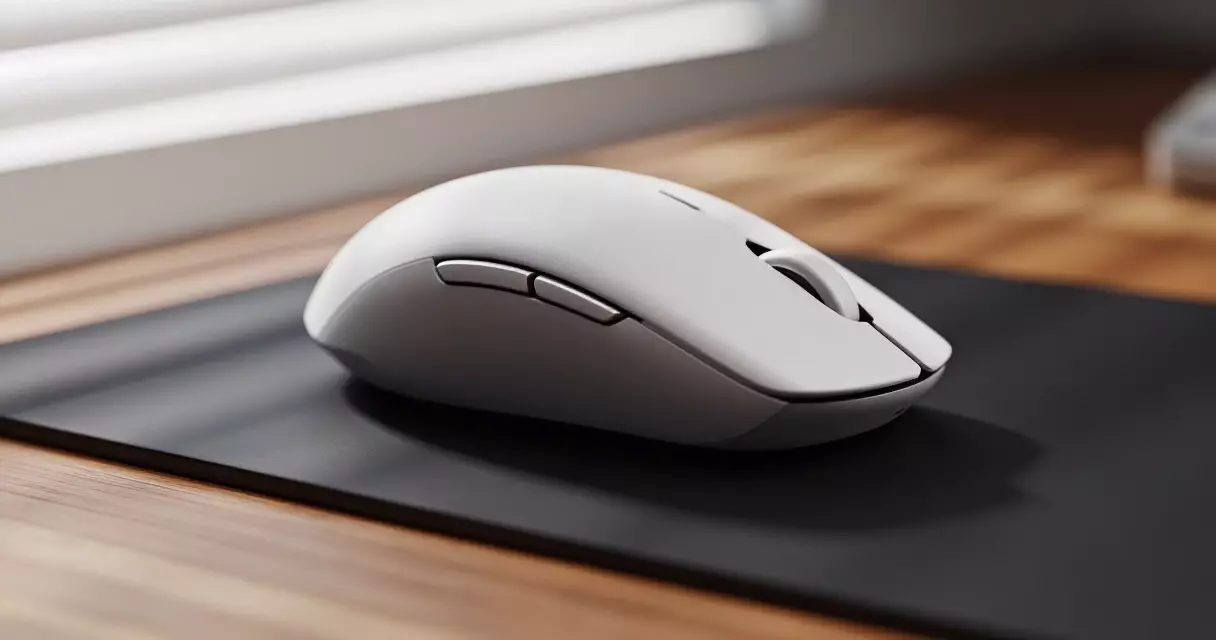
The Logitech G PRO X Superlight is meticulously designed for competitive players. Here are the key features every Filipino gamer should know before purchasing:
- Sensor: HERO 25K with up to 25,600 DPI resolution
- Connection: LIGHTSPEED wireless with up to 1ms response time
- Weight: Less than 63 grams (60g in PRO X Superlight 2)
- Buttons: 5 buttons with a click-tension system for consistent feel
- Compatibility: PowerPlay wireless charging system
- Dimensions: 125.0 × 63.5 × 40.0 mm
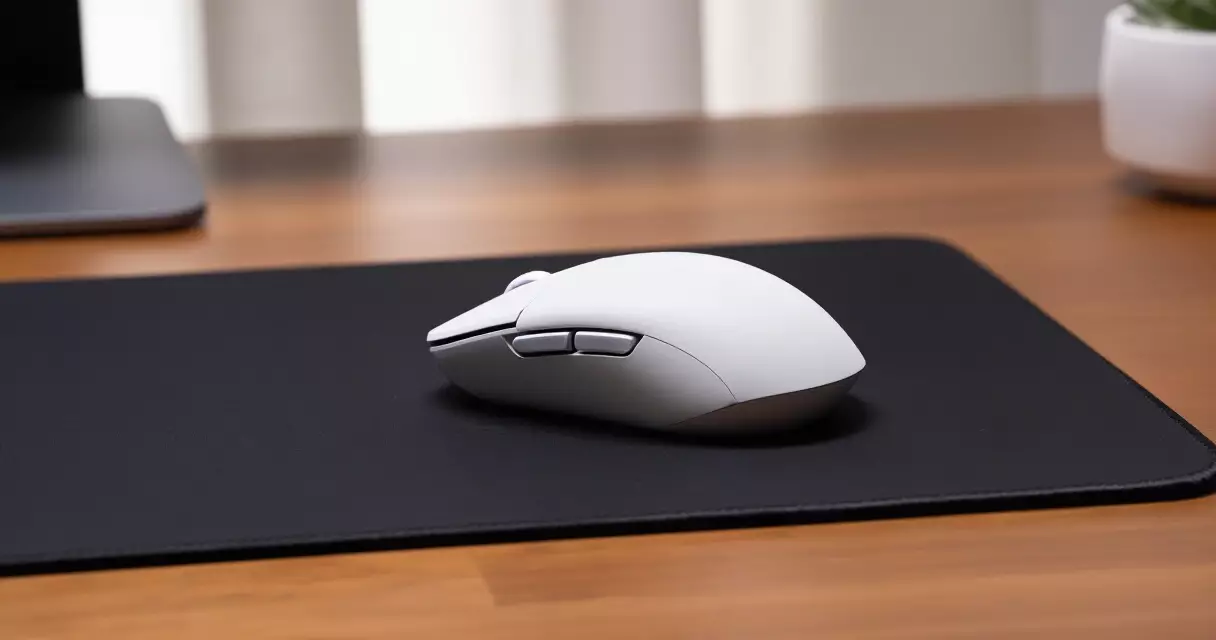
- Color: Black or off-white
- Onboard Memory: Can store profiles directly on the mouse without needing software
According to Unbox PH, removing the magnetic plate at the bottom of the mouse reduces the weight to exactly 60 grams, providing a lighter gaming experience.
PRO X Superlight 1 vs PRO X Superlight 2: Which is Better for Filipino Gamers
Many Filipino gamers are confused between the two versions. Here is a direct comparison to help you choose:
| Feature | PRO X Superlight 1 | PRO X Superlight 2 |
|---|---|---|
| Weight | Less than 63g | 60g |
| Sensor | HERO 25K | HERO 2 Plus |
| Polling Rate | 1,000 Hz (1 ms) | Up to 8,000 Hz (8 kHz) |
| Battery Life | Up to 70 hours | 10 days or 5 months (without backlighting) |
| Price (PH) | Approximately Php 5,000–6,100 | Higher; available at PCX, Datablitz |
| G HUB Compatible | Yes | Yes |
Based on data from Logitech G Philippines, the PRO X Superlight 2 is specially designed for tournament play with the highest 8 kHz polling rate in its class. For casual gamers or those with a more limited budget, the first version remains an excellent choice.
How to Set Up Logitech G Hub for Pro X Superlight: Step-by-Step
Downloading and Installing G HUB
First, visit the official Logitech Philippines page and find the G HUB download section. Choose the correct version for your operating system (Windows or macOS). After installing, plug the LIGHTSPEED USB receiver into your computer and turn on the mouse using the switch underneath.
Configuring DPI and Polling Rate
Within the G HUB interface, you’ll see your Pro X Superlight on the dashboard. From here, you can:
- Set up to 5 different DPI levels and toggle between them in-game
- Adjust the report rate (polling rate) from 125 Hz to 1,000 Hz in the first version, or up to 8,000 Hz in the second version
- Configure each of the 5 buttons for custom actions or macro commands
- Save profiles to the mouse’s onboard memory for use without G HUB on other computers
Recommended Settings for FPS Games
For those playing FPS titles like Valorant, CS2, or PUBG, the common recommendation from pro gamers is to use a low DPI setting between 400 to 800, with high in-game sensitivity for more precise aiming. G HUB allows you to create game-specific profiles that automatically activate when you enter each game.
“The championship-winning 60g design of the Pro X Superlight 2 is the result of direct collaboration with top pro gamers worldwide, aiming to remove any barrier between the player and victory.”
Where to Buy the Logitech G PRO X Superlight in the Philippines
There are many places in the Philippines where you can buy the original Logitech G PRO X Superlight. According to discussions on r/PHGamers on Reddit, here are the most well-known retailers:
- Datablitz (stores nationwide and online store)
- PCX (pcx.com.ph) — both Superlight versions available
- EasyPC (easypc.com.ph) — available in Black and White versions
- Dynaquest and Strategic Technologies (for provinces)
- Lazada and Shopee (official Logitech store only to ensure authenticity)
Based on data from the r/PHGamers community, the price of the original PRO X Superlight ranges from Php 5,000 to Php 6,250 depending on the retailer and color, while the PRO X Superlight 2 is more expensive. To ensure a genuine product, always buy from authorized dealers.
Logitech G Hub Pro X Superlight for Competitive Gaming in the Philippines
In the Philippine gaming scene, especially in MPL PH and other local esports tournaments, using the right peripherals is crucial. The Pro X Superlight is one of the most used mice by professional players in PC FPS competitions. For those covering the Filipino esports scene, such as Filipino teams qualifying for the Esports World Cup 2026, the right hardware is a critical part of their preparation.
The lightweight design of the Pro X Superlight provides an advantage in long gaming sessions, as a lighter mouse reduces hand fatigue and allows for faster movement. It has been tested by world-class pro gamers even before it was released to the market, according to the official page of Logitech G Philippines.
Comparison: Logitech G PRO X Superlight vs Other Popular Wireless Mice
| Mouse | Weight | Sensor | Wireless | Battery Life |
|---|---|---|---|---|
| Logitech G PRO X Superlight 2 | 60g | HERO 2 Plus | LIGHTSPEED (8 kHz) | 10 days |
| Logitech G PRO X Superlight 1 | Less than 63g | HERO 25K | LIGHTSPEED (1 ms) | 70 hours |
| Razer DeathAdder V3 HyperSpeed | 71g | Focus X | HyperSpeed | 300 hours |
| SteelSeries Aerox 3 Wireless | 68g | TrueMove Air | Quantum 2.0 | 200 hours |
“When choosing a gaming mouse, it’s not just the weight that matters — the right software like Logitech G HUB provides true control over your gaming experience.”
Frequently Asked Questions (FAQ)
Is the Logitech G HUB software free?
Yes, the Logitech G HUB is free and can be downloaded from the official Logitech website. No payment or subscription is needed to use all its main features, including DPI settings, button configuration, and profile management for the Pro X Superlight.
Is G HUB necessary for the Pro X Superlight to work?
No. The Pro X Superlight works even without the G HUB software installed, as the mouse has onboard memory for profiles. However, G HUB is needed to customize and save new settings. Once the profile is saved to onboard memory, G HUB can be removed, and the settings will remain.
What DPI should be used for FPS games with the Pro X Superlight?
Most professional FPS players use a DPI setting between 400 to 1,600, depending on their in-game sensitivity and mousepad size. G HUB allows up to 5 DPI levels that can be toggled while you are in the game. Try different settings and choose what is most comfortable for you.
Is the Pro X Superlight compatible with PowerPlay wireless charging?
Yes, both versions of the Logitech G PRO X Superlight are compatible with the Logitech PowerPlay wireless charging system. PowerPlay is a mousepad that continuously charges your mouse while you use it, so you don’t have to worry about running out of battery in the middle of a game.
Is the Pro X Superlight for left-handed users?
No. The Logitech G PRO X Superlight is exclusively designed for right-handed use. This is a limitation noted by many reviewers and can be a dealbreaker for left-handed players. If you are left-handed, you may need to look for other options.
Where can I buy the genuine Logitech G PRO X Superlight in the Philippines?
To ensure authenticity, only buy from authorized dealers such as Datablitz, PCX, EasyPC, and the official Logitech store on Lazada or Shopee. Be cautious of unknown sellers offering prices that are too low, as many counterfeits have been reported in the market. The original price is usually Php 5,000 and up based on the latest data from the r/PHGamers community.
Summary: Is the Logitech G Hub Pro X Superlight Worth It for Filipino Gamers?
Based on all the data and reviews gathered, the Logitech G PRO X Superlight remains one of the best wireless gaming mice for serious Filipino gamers as of July 7, 2026. The combination of an ultra-light design, reliable LIGHTSPEED wireless technology, and comprehensive customization through the G HUB software provides a competitive advantage in various types of games.
For competitive gamers interested in the latest news in the local gaming scene, such as updates on top mobile games in the Philippines, it’s also important to keep your hardware updated so you don’t fall behind in the competition.
- The PRO X Superlight 1 is great for budget-conscious gamers who want pro-grade performance
- The PRO X Superlight 2 is for those seeking the highest polling rate and lowest weight
- The G HUB software is free and easy to use for customization
- Always buy from authorized dealers to ensure authenticity
- Compatible with PowerPlay for uninterrupted wireless charging
References
- Logitech G PRO X Superlight 2 — Logitech G Philippines — accessed July 7, 2026
- Logitech G PRO X Superlight Is One Of The Lightest Mice On Earth — Unbox PH — accessed July 7, 2026
- Logitech Philippines Official Website — accessed July 7, 2026
- Where to buy Logitech G Pro X Superlight — r/PHGamers (Reddit) — accessed July 7, 2026