Summary
✓Reviewed by Emma Thompson If you have an old PC or laptop that can't run demanding games, don't lose hope. The world of indie games is full of amazing titles specially designed for low-end hardware, and with the right PC...
Table of contents
- 1 Why Are Indie Games Perfect for Low-End PCs?
- 2 First Step: Optimize Windows for Gaming Performance
- 2.1 Disk and Storage Optimization
- 3 Proper Graphics Settings for an FPS Boost in Indie Games
- 3.1 Specific Settings for the Most Popular Indie Games
- 4 Tools for an FPS Boost That Don’t Require an Upgrade
- 5 Driver and Software Updates: Why They Are Critical
- 6 RAM and Storage Upgrades: The Most Cost-Effective Hardware Improvement
- 7 Recommendations: Best Indie Games for Low-End PC
- 8 In-Game FPS Limiter and Frame Pacing: The Secret to Smooth Gameplay
- 9 How to Monitor Performance: Free Monitoring Tools
- 10 Frequently Asked Questions (FAQ)
- 10.1 Can I play indie games on a PC with only 2 GB RAM?
- 10.2 What is the fastest way to boost FPS for free?
- 10.3 Does a cooling pad help with laptop performance?
- 10.4 Is game booster software safe to use?
- 10.5 Do I need a dedicated GPU for indie games?
- 10.6 How much do I need to invest to speed up an old PC for gaming?
- 11 Summary and Key Takeaways
- 12 References
If you have an old PC or laptop that can’t run demanding games, don’t lose hope. The world of indie games is full of amazing titles specially designed for low-end hardware, and with the right PC setup for indie games on low-end specs, it’s possible to achieve stable FPS, smooth settings, and great performance even on an aging machine. This guide, published on August 26, 2026, provides practical and tested steps for every gamer who wants to play smoothly even with limited hardware.
Why Are Indie Games Perfect for Low-End PCs?
Indie games are typically made by small teams or solo developers with limited budgets, so their games are naturally optimized for older hardware. Games like Stardew Valley, Celeste, Undertale, Hollow Knight, and Hades run beautifully on PCs with an Intel Core i3 and 4 GB RAM. This isn’t an accident: the indie dev community is open about their design philosophy of “play first, graphics second.” This is the primary reason why setting up your PC for indie games on low-end specs is a practical solution for millions of gamers.
First Step: Optimize Windows for Gaming Performance
Before changing any settings inside a game, you need to fix Windows itself first. According to Microsoft Support, properly configuring your operating system can make a significant difference in performance without needing to upgrade hardware.
- Game Mode: Open Settings > Gaming > Game Mode and turn it on. This prevents Windows from installing updates while you’re gaming.
- Power Plan: Go to Control Panel > Power Options and select “High Performance” or “Ultimate Performance” (for Windows 10/11 Pro). This adds approximately 5–15% CPU performance according to various benchmark tests.
- Startup Programs: Open Task Manager (Ctrl+Shift+Esc) > Startup tab, and disable everything that isn’t needed. This speeds up boot time and frees up RAM.
- Visual Effects: Right-click “This PC” > Properties > Advanced System Settings > Performance Settings. Choose “Adjust for best performance” to remove all Windows visual animations.
- Background Apps: Settings > Privacy > Background Apps. Turn off everything you’re not using to save RAM and CPU resources.
Disk and Storage Optimization
Slow storage is one of the biggest bottlenecks on low-end systems. If you’re using an HDD (hard disk drive), tech experts recommend defragmenting it monthly. For SSD users, make sure the TRIM function is enabled. Additionally, always keep your system drive at least 10–15% free of its total capacity to prevent system slowdowns.
Proper Graphics Settings for an FPS Boost in Indie Games
Adjusting graphics settings is one of the most effective ways to improve FPS on low-end specs. Here are recommendations based on well-known indie titles:
| Setting | Recommendation (Low-End) | Effect on FPS |
|---|---|---|
| Resolution | 1280×720 (720p) | High impact (+20–40 FPS) |
| Shadows | Off or Low | Moderate impact (+5–15 FPS) |
| Anti-Aliasing | Off | Moderate impact (+5–10 FPS) |
| V-Sync | Off (use frame limiter instead) | Reduces input lag |
| Texture Quality | Low or Medium | Major impact on VRAM |
| Post-Processing | Off (Motion Blur, Depth of Field) | Speeds up rendering |
| Full-Screen Mode | Exclusive Full-Screen | Lower latency than Windowed |
“The right settings aren’t about the best-looking graphics, but about the smoothest experience. In indie games, 60 FPS at 720p is more enjoyable than 20 FPS at 1080p.”
Specific Settings for the Most Popular Indie Games
For Hollow Knight and Celeste, both games run smoothly even on Intel HD Graphics 620, commonly found in budget laptops. Set the resolution to 1280×720 and turn off all post-processing effects. For Hades and Dead Cells, which are somewhat more demanding, use the Low preset and set texture quality to Medium to balance performance and visual quality. Stardew Valley barely needs any settings changes at all since the game itself is optimized for virtually any machine.
Tools for an FPS Boost That Don’t Require an Upgrade
There are several software tools that make a big difference in low-end PC performance for indie games without needing new hardware:
- Lossless Scaling (Steam, ~$7 USD): Uses AI upscaling and frame generation to nearly double FPS in many 2D and pixel-art indie games. This is one of the most effective tools for low-end gaming in 2026.
- Special K (free): An advanced modding tool that provides granular control over the graphics pipeline of many games. It can help fix stuttering and frame pacing issues.
- Razer Cortex (free): A game optimizer that automatically shuts down background processes when a game launches, freeing up RAM and CPU resources.
- Process Lasso (free/paid): Provides control over the CPU priority of each process, ensuring the game always has the highest priority.
For gamers interested in other aspects of gaming performance, it’s worth reading a deep dive into graphics settings for Valorant, which provides similar principles that can be applied to many games.
Driver and Software Updates: Why They Are Critical
Old and outdated drivers are one of the most common causes of poor performance on low-end systems. According to Intel, regularly updating your graphics driver improves compatibility and performance in newer games. For users of Intel HD or Intel UHD Graphics (most common in budget laptops), visit Intel’s Driver and Support Assistant for automatic updates.
- For NVIDIA GPU: Update using GeForce Experience or manually from the NVIDIA website.
- For AMD GPU: Update using AMD Adrenalin software.
- For Intel iGPU: Download the Intel Driver and Support Assistant.
RAM and Storage Upgrades: The Most Cost-Effective Hardware Improvement
If you can invest a little, upgrading your RAM is the single biggest change you can make at the lowest cost. Adding RAM from 4 GB to 8 GB provides a noticeable difference, especially for slightly more demanding indie games like Hades or Disco Elysium.
| Upgrade | Estimated Cost (PHP) | Effect on Gaming Performance |
|---|---|---|
| 4 GB → 8 GB DDR4 RAM | PHP 800–1,500 | Major improvement, especially in multitasking |
| HDD → 120 GB SSD (boot drive) | PHP 800–1,200 | Faster load times, smoother OS |
| Thermal Paste Replacement | PHP 150–300 | Lowers temperature, increases sustained performance |
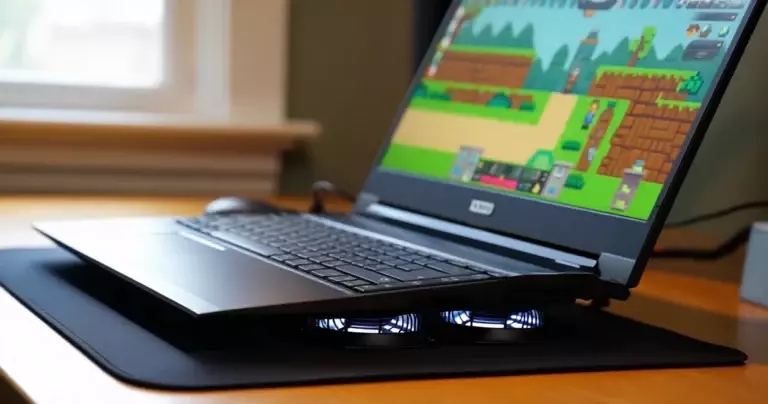
| External Cooling Pad | PHP 300–700 | Prevents thermal throttling on laptops |
Replacing the thermal paste on your CPU is a frequently overlooked step. On older laptops that are 3–5 years old, dried-out thermal paste causes overheating and thermal throttling, which reduces CPU speed while gaming. Replacing it can potentially lower temperatures by 10–20%, according to reports from technicians across various tech forums.
Recommendations: Best Indie Games for Low-End PC
Here are the indie games best suited for low-end specs, based on their system requirements and gameplay quality:
- Stardew Valley – Minimum: 2 GB RAM, Intel Core 2 Duo. One of the best farming RPGs that even the oldest PC can run.
- Celeste – Minimum: 2 GB RAM, Intel Core i3. An award-winning platformer that runs at 60 FPS on almost all hardware.
- Undertale – Minimum: 2 GB RAM, Intel Core 2 Duo. This game is extremely lightweight and rich in story.
- Hollow Knight – Minimum: 4 GB RAM, Intel Core i5. A deep metroidvania that mid-range laptops can handle.
- Hades – Minimum: 4 GB RAM, Intel Core i5 (2.4 GHz). A roguelite with stunning art style and gameplay.
- Dead Cells – Minimum: 4 GB RAM, Intel Core i5. A fast action roguelite with tight controls.
For those who want to game beyond the PC, the top 5 most downloaded mobile games provide a great alternative for mobile gaming.
“You don’t need the most expensive PC to enjoy gaming. The right low-end PC setup for indie games opens the door to hundreds of great experiences without having to spend a fortune.”
In-Game FPS Limiter and Frame Pacing: The Secret to Smooth Gameplay
The highest FPS isn’t always the best goal. For low-end systems, stable and consistent FPS is more important than high but fluctuating FPS. For example, a solid 30 FPS with no frame drops is more enjoyable than FPS that climbs to 60 then crashes to 15. Use the following strategies:
- Set the in-game frame cap to 30 FPS if you can’t achieve a stable 60 FPS. Many indie games have a built-in frame limiter in the settings menu.
- Use RTSS (RivaTuner Statistics Server) for more precise frame limiting if the game has no built-in option.
- Turn off V-Sync and use a frame limiter instead, to reduce the input lag caused by V-Sync.
How to Monitor Performance: Free Monitoring Tools
Before and after optimizing, it’s important to measure performance to know whether your changes were effective. Here are some free tools:
- MSI Afterburner + RTSS: Shows real-time FPS, GPU temperature, CPU usage, and RAM usage in-game. Free and used by the majority of gamers.
- HWiNFO64: A more detailed monitoring tool that provides information on CPU throttling and hardware health.
- NVIDIA FrameView: A free frame time analyzer that shows frame pacing and latency data.
For those who also want to study setting optimization for competitive games, a guide on adjusting sensitivity and controls in COD Mobile provides great principles for fine-tuning your gaming experience.
Frequently Asked Questions (FAQ)
Can I play indie games on a PC with only 2 GB RAM?
Yes, but your options are limited. Ultra-light games like Undertale and Dwarf Fortress can run on 2 GB RAM, but most modern indie games require at least 4 GB. It is recommended to upgrade to 4 GB or 8 GB if possible so your system can handle more titles.
What is the fastest way to boost FPS for free?
The most effective free steps are enabling Windows Game Mode, disabling background apps, using the High Performance power plan, and lowering in-game resolution and graphics settings. The combination of these can add 20–40% FPS at no cost. Additionally, updating your GPU drivers often results in an immediate and noticeable improvement.
Does a cooling pad help with laptop performance?
Yes, especially for laptops running at high temperatures. Thermal throttling, which occurs when CPU temperature reaches its threshold (typically 95–105°C), automatically reduces CPU clock speed to protect the hardware. A cooling pad lowers temperature by an average of 5–10°C, preventing throttling and maintaining higher sustained performance.
Is game booster software safe to use?
Well-known and established software like Razer Cortex, MSI Afterburner, and Process Lasso are safe to use. Avoid unknown “game booster” apps found on suspicious websites, as they may come bundled with malware or adware. Always download from the developer’s official website.
Do I need a dedicated GPU for indie games?
No. Most 2D and pixel-art indie games can be run by integrated graphics such as Intel HD Graphics 620 or Intel UHD Graphics 630, commonly found in budget and mid-range laptops. For 3D indie games like Hades and Dead Cells, a mid-range discrete GPU like the NVIDIA GTX 1050 or AMD RX 560 is sufficient for 1080p gaming on low settings.
How much do I need to invest to speed up an old PC for gaming?
The most cost-effective upgrades are additional RAM (PHP 800–1,500 for 4 GB DDR4) and an entry-level SSD as a boot drive (PHP 800–1,200 for 120 GB). For a total of PHP 1,600–2,700, most users will notice a significant improvement in overall system responsiveness and gaming performance, especially for indie games that don’t heavily rely on GPU power.
Summary and Key Takeaways
Setting up your PC for indie games on low-end specs is a combination of proper software configuration, smart hardware investment, and choosing the right games. You don’t need to upgrade your entire system to enjoy hundreds of great indie titles. Through Windows optimization, proper in-game settings, using free tools like MSI Afterburner and Razer Cortex, and if budget allows, an extra RAM stick or an entry-level SSD, it’s possible to achieve a fun and smooth gaming experience on almost any hardware.
For those who want to deepen their knowledge of gaming and indie game reviews, visit our Alabaster Dawn review to see how we evaluate indie RPGs. And if you’re interested in the best offline games available now, you can also check out our list of the best offline mobile games.
References
- Steam Hardware Survey — accessed August 26, 2026
- Microsoft Support: Windows Gaming Optimization — accessed August 26, 2026
- Intel Graphics Driver Support — accessed August 26, 2026